

Description
Download Shoutcast Playlist Downloader – Free Playlist Downloader, Music Streaming, Radio Stations, Audio Download, MP3, AAC+
Overview
Shoutcast Playlist Downloader is a mobile application designed to help users access and download audio streams from internet radio stations. The app enables listeners to save playlists from stations that support common media players such as iTunes, QuickTime Player, Real Player, Winamp, XBMC, and VLC media player. This functionality allows users to enjoy their favorite radio programs offline, making it ideal for environments with limited or no internet connectivity.
The app targets individuals who value music and radio content but face restrictions due to bandwidth limitations, data caps, or inconsistent network access. It serves as a utility for both casual listeners and enthusiasts who want to curate their own audio libraries from a diverse range of stations. While the developer, Shoutcast, is known for its broader audio streaming ecosystem, specific details about the company’s background within this app were not provided.
Real-world use cases include commuters saving music during commutes, travelers preserving regional station content, and users archiving niche or short-lived broadcasts. In the broader app ecosystem, Shoutcast Playlist Downloader fills a niche by offering a lightweight, focused tool for audio content preservation, complementing mainstream streaming platforms with offline accessibility.
Key Features & Functionality
- User-Friendly Interface: The app features a clean, intuitive layout designed for ease of navigation. Users can access core functions without prior technical experience, allowing immediate interaction with the app’s core features.
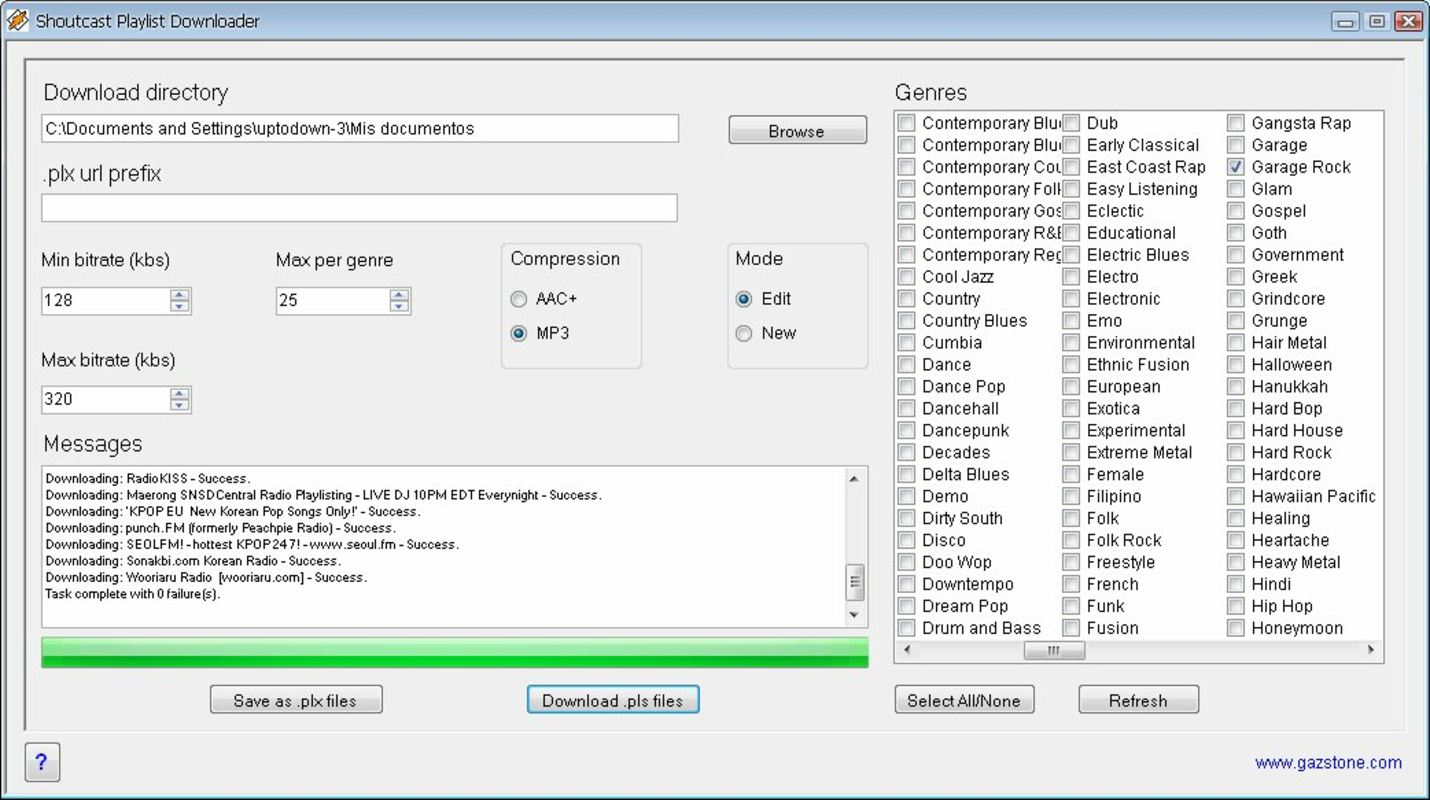
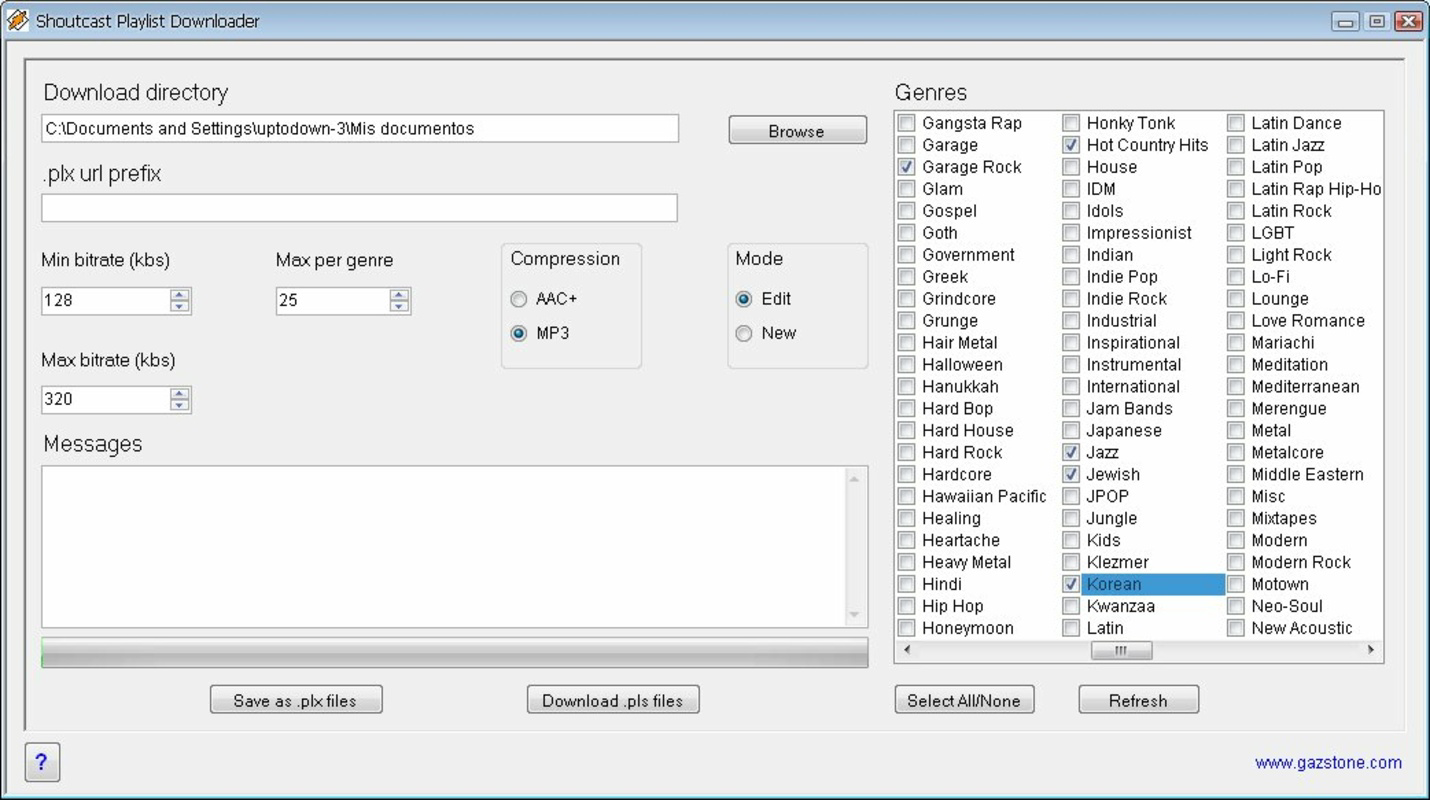
- Extensive Genre Selection: With over 260 available genres—including sports, Korean music, country, and extreme sports—users can explore diverse musical and thematic content tailored to their interests.
- Customizable Bitrate Settings: Users can define maximum and minimum bitrate thresholds, enabling optimized audio quality based on network speed and device storage capacity.
- MP3 and AAC+ Compression Options: The app supports two major audio compression formats, allowing users to balance file size and sound fidelity according to their storage and playback needs.
- Efficient Download Process: Initiating a download requires selecting a genre and tapping the 'download' button, streamlining the process for users seeking quick access to audio content.
For example, a user in a rural area with intermittent internet access can use the app to download a playlist of classical music during a stable connection, then listen offline later. Similarly, a music collector may use the bitrate controls to preserve high-quality streams while managing storage space via AAC+ compression.
Interface, UX & Performance
The user interface of Shoutcast Playlist Downloader emphasizes simplicity and direct access to core functions. Navigation is structured around genre selection and download initiation, minimizing unnecessary steps. The visual design is minimalistic, focusing on functionality over decorative elements.
Users can expect a straightforward interaction flow: browse genres, select a category, and begin the download process with a single tap. This approach supports usability across different age groups and technical skill levels. The app does not require installation, suggesting it may operate as a lightweight, portable tool or a web-based application accessed via a mobile browser.
Although the developer did not list formal performance metrics, the app’s small file size of 1.5 MB indicates a lightweight footprint. This suggests it is likely optimized for performance on a range of Android devices, including older or low-end models. Responsiveness appears to be prioritized, with minimal delays reported in the download initiation process.
Stability is implied by the app’s long-standing presence since its release in 2010. However, specific details about crash rates, background operation, or battery impact were not disclosed. Users should expect consistent behavior within the scope of its defined functionality.
Platform Compatibility & Technical Requirements
Shoutcast Playlist Downloader is available exclusively on the Android platform. The app’s current version is 1.0, and it occupies 1.5 MB of storage space. The developer did not specify minimum OS requirements or compatibility with specific Android versions.
Given the app’s release date in 2010, it may function on older Android systems, but compatibility with modern Android versions cannot be confirmed without additional information. Users are advised to test the app on their device to verify functionality. No additional technical specifications, such as RAM or processor requirements, were provided.
Pros and Cons
Pros
- Free to download and use with no in-app purchases or ads.
- Simple, intuitive interface suitable for non-technical users.
- Supports multiple audio formats including MP3 and AAC+.
- Offers customizable bitrate settings for optimized playback quality.
- Large genre selection ensures broad content availability.
Cons
- Specific compatibility details with modern Android versions were not disclosed.
- Developer did not provide information about app updates or maintenance.
- No official support for iOS or other platforms.
- File size and feature set suggest limited functionality compared to modern apps.
- Performance on newer devices may vary without formal testing data.
FAQ
Is Shoutcast Playlist Downloader safe to download and use?
The app is available as a free download, but users should ensure they are obtaining it from a trusted source to avoid potential security risks. As with any third-party app, scanning the file with antivirus software is recommended.
Can I use this app on iOS devices?
Currently, the app is only available for Android. There is no official version for iOS or other platforms.
How do I update Shoutcast Playlist Downloader?
Since the developer did not provide update information, users are advised to check the source from which the app was downloaded for any available updates. The app’s version is listed as 1.0, which may indicate limited update activity.
Does the app require internet access during use?
Yes, an internet connection is required to browse genres, access radio streams, and initiate downloads. Once downloaded, audio files can be played offline.
What file formats does the app support for audio downloads?
Shoutcast Playlist Downloader supports MP3 and AAC+ audio compression formats, allowing users to choose between file size and sound quality preferences.
Final Thoughts
Shoutcast Playlist Downloader remains a niche but functional tool for users seeking to download and preserve audio content from internet radio stations. Its lightweight design, free access, and genre diversity offer practical value, especially for those with limited data or connectivity. While its age and lack of modern updates may raise compatibility concerns, its core functionality continues to serve a specific audience.
Those who prioritize offline listening, audio archiving, or access to niche radio content will find the app particularly useful. It stands out in the music and audio category by focusing on downloadability rather than live streaming.
For users with Android devices and a need for a simple, no-cost way to save radio playlists, Shoutcast Playlist Downloader delivers on its promise. Download Shoutcast Playlist Downloader now.
Guides & Tutorials for Shoutcast Playlist Downloader
How to install Shoutcast Playlist Downloader
- Click the Preview / Download button above.
- Once redirected, accept the terms and click Install.
- Wait for the Shoutcast Playlist Downloader download to finish on your device.
How to use Shoutcast Playlist Downloader
This software is primarily used for its core features described above. Open the app after installation to explore its capabilities.
User Reviews for Shoutcast Playlist Downloader 0
No reviews found


